
Best POS Apps for Pizzerias on Clover (2025 Comparison)

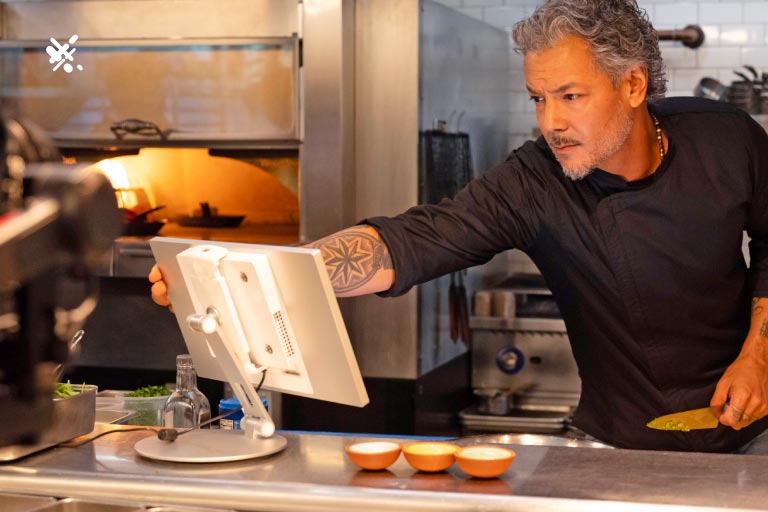
You chose Clover for your pizzeria because it's reliable, easy to use, and handles payments seamlessly. But out of the box, Clover is missing features that pizza shops specifically need.
That's where Clover App Market comes in. The right apps can transform your POS into a complete pizza shop management system — with online ordering, SMS marketing, loyalty programs, and more.
Here's our comparison of the best Clover apps for pizzerias in 2025.
What Pizzerias Need from Clover Apps
Before diving into specific apps, let's identify what pizza shops actually need:
- Pizza-specific online ordering (half-and-half toppings, size modifiers, specialty crusts)
- Delivery management with zones and fees
- SMS/text marketing to drive repeat orders
- Kitchen display or printer integration for order flow
- Website builder for online presence
- Review management to build reputation
- Loyalty programs to retain customers
Most Clover apps solve one problem. The best solutions bundle multiple features together.
Top Clover Apps for Pizzerias
1. Restaurant Fire
Best for: Pizzerias wanting an all-in-one solution
What it does:
- Pizza-optimized online ordering with half-and-half toppings, sizes, and modifiers
- Website builder with mobile-optimized templates
- SMS marketing with direct ordering links
- Review management and request automation
- Loyalty program integration
- Orders print directly to Clover kitchen printer
Pricing: Starting at $49/month per location
Why pizzerias choose it: Restaurant Fire is built specifically for pizza shops on Clover. Instead of juggling 5 different apps, you get everything in one platform — and it all connects seamlessly to your Clover POS.
Standout feature: SMS marketing with integrated online ordering. Send a text with a pizza special, customers tap to order, and it prints directly to your kitchen. No tablet juggling.
Learn more about Restaurant Fire
2. OrderOut
Best for: Basic online ordering
What it does:
- Online ordering website
- Menu management
- Order notifications
Pricing: Varies by plan
Limitations for pizzerias: Limited pizza-specific customization. No built-in SMS marketing or review management. You'll need additional apps to fill gaps.
3. MenuDrive
Best for: Multi-location restaurants
What it does:
- Online ordering
- Marketing automation
- Loyalty programs
Pricing: Custom pricing
Limitations for pizzerias: More complex setup. Built for general restaurants rather than pizza-specific workflows. Higher price point for small pizzerias.
4. ChowNow
Best for: Commission-free online ordering
What it does:
- Branded online ordering
- Mobile app option
- Marketing tools
Pricing: Monthly subscription model
Limitations for pizzerias: Doesn't integrate directly with Clover's kitchen printer — requires a separate tablet. No SMS marketing built in.
5. Clover Online Ordering (Native)
Best for: Simple, basic online ordering
What it does:
- Basic online ordering through Clover
- Direct POS integration
Pricing: Included with some Clover plans, or add-on fee
Limitations for pizzerias: Very limited pizza customization. No half-and-half toppings, limited modifier options. No marketing features whatsoever.
Feature Comparison Table
| Feature | Restaurant Fire | OrderOut | MenuDrive | ChowNow | Clover Native | |---------|----------------|----------|-----------|---------|---------------| | Pizza-specific ordering | ✅ | ❌ | ❌ | ❌ | ❌ | | Half-and-half toppings | ✅ | ❌ | ❌ | ❌ | ❌ | | SMS marketing | ✅ | ❌ | ✅ | ❌ | ❌ | | Website builder | ✅ | ❌ | ❌ | ❌ | ❌ | | Review management | ✅ | ❌ | ❌ | ❌ | ❌ | | Direct Clover printer | ✅ | ✅ | ❌ | ❌ | ✅ | | Loyalty program | ✅ | ❌ | ✅ | ✅ | ❌ | | Starting price | $49/mo | Varies | Custom | $149/mo+ | Included |
What to Look for in a Clover App for Your Pizzeria
1. Pizza-Specific Menu Features
Generic online ordering doesn't work for pizza. You need:
- Size selection (personal, small, medium, large, XL)
- Crust options (thin, hand-tossed, stuffed, gluten-free)
- Half-and-half toppings (different toppings on each half)
- Topping quantities (light, regular, extra)
- Specialty pizza templates (pre-built combinations)
If an app can't handle these basics, your customers will abandon their orders — or worse, you'll get orders with missing information.
2. Direct Kitchen Printer Integration
The whole point of Clover integration is seamless order flow. If an app requires a separate tablet, you're back to the same problems as third-party delivery apps:
- Staff monitoring multiple screens
- Manual order entry errors
- Slower ticket times
Look for apps that print directly to your existing Clover kitchen printer.
3. Built-in Marketing (Not Just Ordering)
Online ordering is useless if nobody uses it. The best Clover apps include marketing tools:
- SMS marketing to drive repeat orders
- Review requests to build your Google reputation
- Loyalty programs to retain customers
Otherwise, you'll pay for separate marketing apps — and struggle to make them work together.
4. Website Included
Many pizzerias still don't have a website, or have one that doesn't support online ordering. A Clover app with a built-in website builder solves this instantly.
5. Transparent Pricing
Beware of apps with:
- Per-transaction fees that add up
- Hidden charges for features you need
- Long-term contracts
Look for flat monthly pricing that includes all features.
The Hidden Cost of Multiple Apps
Beyond software subscription fees, using the wrong tools can lead to costly software mistakes that impact your bottom line.
It's tempting to piece together "best of breed" solutions:
- App A for online ordering ($50/month)
- App B for SMS marketing ($30/month)
- App C for loyalty ($25/month)
- App D for review management ($20/month)
- App E for website hosting ($15/month)
Total: $140+/month — and none of them talk to each other.
When a customer orders online, you can't automatically:
- Add them to your SMS list
- Send a review request
- Track loyalty points
- Update your website menu
An all-in-one platform costs less and actually works together.
How to Evaluate Apps for Your Pizzeria
Before choosing any Clover app, test these scenarios:
Test 1: Build a Half-and-Half Pizza
Can a customer order a large pizza with pepperoni on one half and mushrooms on the other? If not, the app isn't built for pizza.
Test 2: Check the Order Flow
Place a test order. Does it print to your Clover kitchen printer automatically? Or do you need to monitor a tablet?
Test 3: Send a Test SMS
Can you send a promotional text with a link directly to online ordering? Can you track who clicked and ordered?
Test 4: Mobile Ordering Experience
Order from your phone. Is it fast? Easy? Would a hungry customer complete this order, or give up?
Making the Switch
If you're currently using Clover's native ordering (or no online ordering at all), switching to a better solution is easier than you think:
- Menu import — Most apps can import your Clover menu automatically
- Same hardware — No new equipment needed; orders print to existing printers
- Staff training — If your team knows Clover, they already know how to read the tickets
- Customer transition — Your new online ordering link can be live in a day
Our Recommendation
For pizzerias on Clover, we built Restaurant Fire to solve exactly these problems. One app that handles:
- ✅ Pizza-specific online ordering (yes, half-and-half works)
- ✅ Direct Clover kitchen printer integration
- ✅ SMS marketing with order links
- ✅ Automated review requests
- ✅ Website builder included
- ✅ Flat monthly pricing
You didn't get into the pizza business to juggle software. Get back to making great pizza, and let your Clover apps handle the rest.
Schedule a demo to see Restaurant Fire in action for your pizzeria.

Sign up for your
free 7 day trial
The All-in-One Clover App for Pizzerias
Related Articles
7 Local SEO Tips for Pizzerias: Get Found When Customers Search 'Pizza Near Me'
Learn how to rank higher in local search results and get more customers finding your pizzeria on Google. Practical SEO tips specifically for pizza shop owners.
Pizza Promotion Ideas: 15 Proven Deals That Drive Orders in 2025
Discover 15 pizza promotion ideas that actually work. From BOGO deals to loyalty programs, learn how to drive more orders to your pizzeria without cutting into profits.
SMS Marketing for Pizza Shops: The Complete Guide to Texting Your Customers
Learn how to use SMS marketing to drive more pizza orders. From building your list to crafting messages that convert, this guide covers everything pizzeria owners need to know.